


Fender

1 : Accessories Location
Locate rear accessory latch, and pull the latch downwards to open the accessories storage compartment.

2 : Remove Accessories
Remove microphone, microphone cable, speaker cables, and power cable.

3 : Speaker Connections
Connect speaker cables to rear of amplifier marked speaker outputs, and connect power cable to area marked as input power.
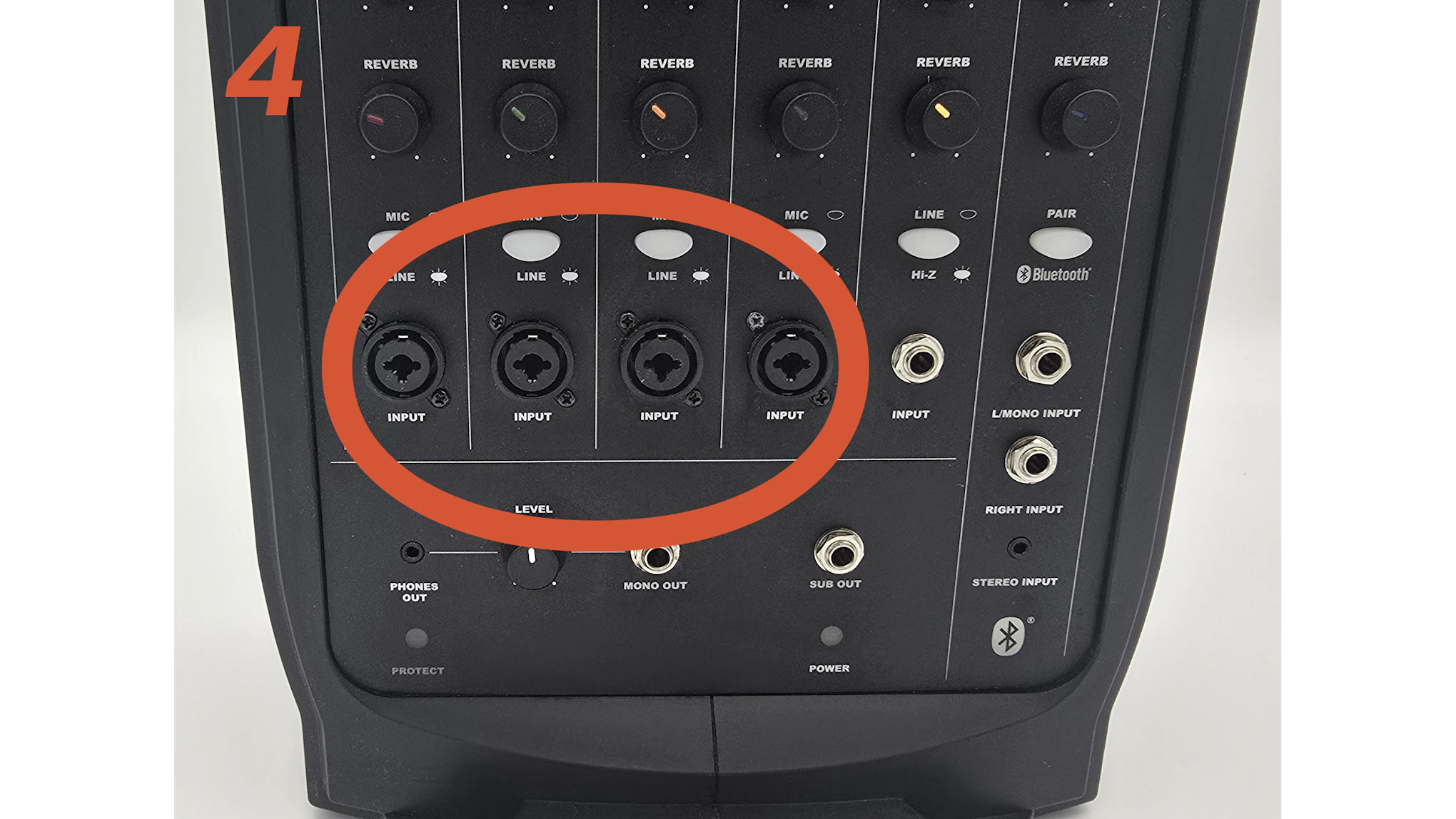
4 : Microphone
Connect microphone to any of the 4 microphone inputs on the front of the amplifier.

5 : Power On
Turn on power using the button located on the rear of the amplifier.

6 : Bluetooth & Adjustments :
To connect bluetooth, press the pair button on the front of the unit, and look for the passport pairing in your devices bluetooth settings. Please note adjustments should be made per individual channel. If you do not hear any output, please check the channels volume level FIRST, followed by the Main Volume knob at the top left of the amplifier.